Two AI subscriptions. One machine. Never mixed.
A Muster profile is a fully isolated identity, not an “account” in a sidebar. Each one gets its own HOME and config directories, SSH keys, git identity, GitHub login and AI-CLI logins — built by env redirection, so the tools you already run can’t tell the difference.
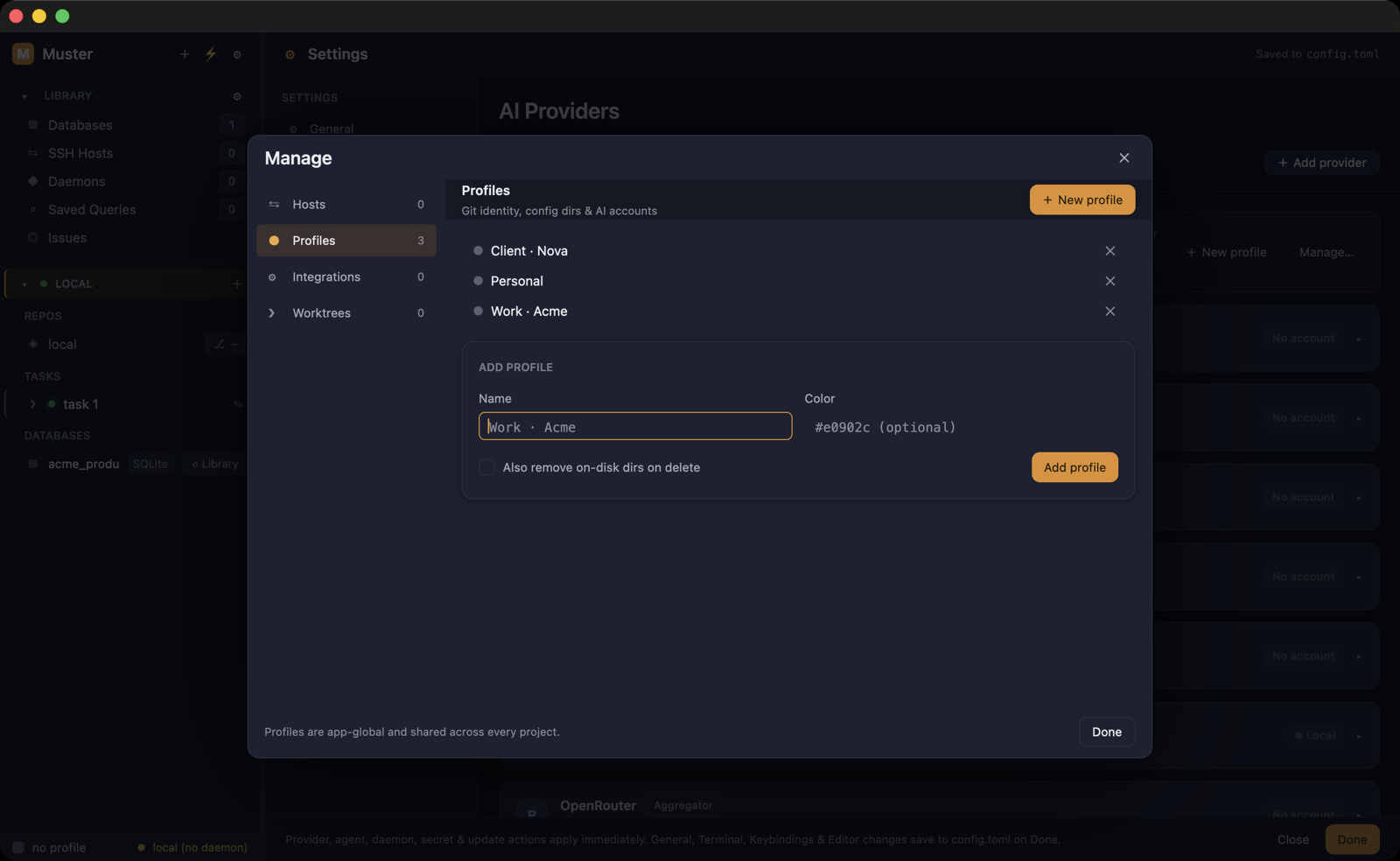
An identity, not an account
Most tools stop at “switch account”. Muster redirects the environment: the profile’s HOME, its config directories, its SSH keys, its git author, its gh login and its AI-CLI credentials are all separate, and all of them apply at once when a task runs.
The result is that identity stops being something you manage by hand. A commit always carries the right name for the repo it’s in, and a push always authenticates as the right user.
Both subscriptions at full speed
Your employer’s AI subscription and your own can run at the same time, in adjacent panes, on different tasks. An agent sees only the accounts of the profile its task was assigned — there is no shared login to leak through, and no quota to spend by accident.
No logging out and back in between gigs. No “which account am I on” check before every commit.
Isolated, not improvised
One-click CLI installs land inside the selected profile’s isolated environment, and signing a CLI in from inside Muster runs the login there too — the credential never touches your real HOME.
Per-profile Node and Python versions reuse the nvm and pyenv installs you already have, so a client’s toolchain and yours coexist without a version manager dance per task.
Secrets with a real vault
Profile secrets live in the OS keychain by default. On machines without a working keyring — a headless Linux box, a minimal install — you can choose an encrypted-in-database store, or a session-only in-memory one that forgets everything when the app closes.
Shareable templates, credential-free
A profile can be exported as a template — one hand-editable file holding the setup, not the secrets: name, env vars, Node and Python picks, and which agents are bound. A teammate imports it and gets the same structure as a new profile; API tokens, key material and keychain references never travel, so everyone signs in with their own credentials after import.
The web side too (macOS)
On macOS, profiles extend to the browser: Muster has an in-pane AI browser with a per-project catalogue of AI web apps, and each profile gets its own isolated web session — its own WKWebsiteDataStore — so each AI web app’s login stays separate exactly like the CLI ones do. This surface is macOS-only.
More in safety & control.
See it on your own repo.
$39 once, per device. A perpetual license, no subscription, nothing that renews. Your code, data and credentials never touch our servers.
Rather try it first? Start the 7-day trial — card up front, $0 charged today, and cancelling before day 7 means you pay nothing. The key appears on screen, ready to paste into Muster.